 Master
Master for Windows
All your AIs. One hub.
You are on a phone
This download is for your Windows PC. On this phone, use Master on your phone instead.
Install in a minute
- Open the file you downloaded. If Master is already running, the installer closes it by itself.
- If Windows shows a blue box, see the next step below. It is expected.
- Master opens when it is done. In Master, open Settings, Account, and sign in.
Already have Master? Installing this keeps your data.
“Windows protected your PC”?
Windows shows this for new apps from small publishers that are not code-signed yet, like Master today. It does not mean a virus was found. To install:
- Click More info (the underlined text).
- Check that App says Master-Setup-…exe, then click Run anyway.
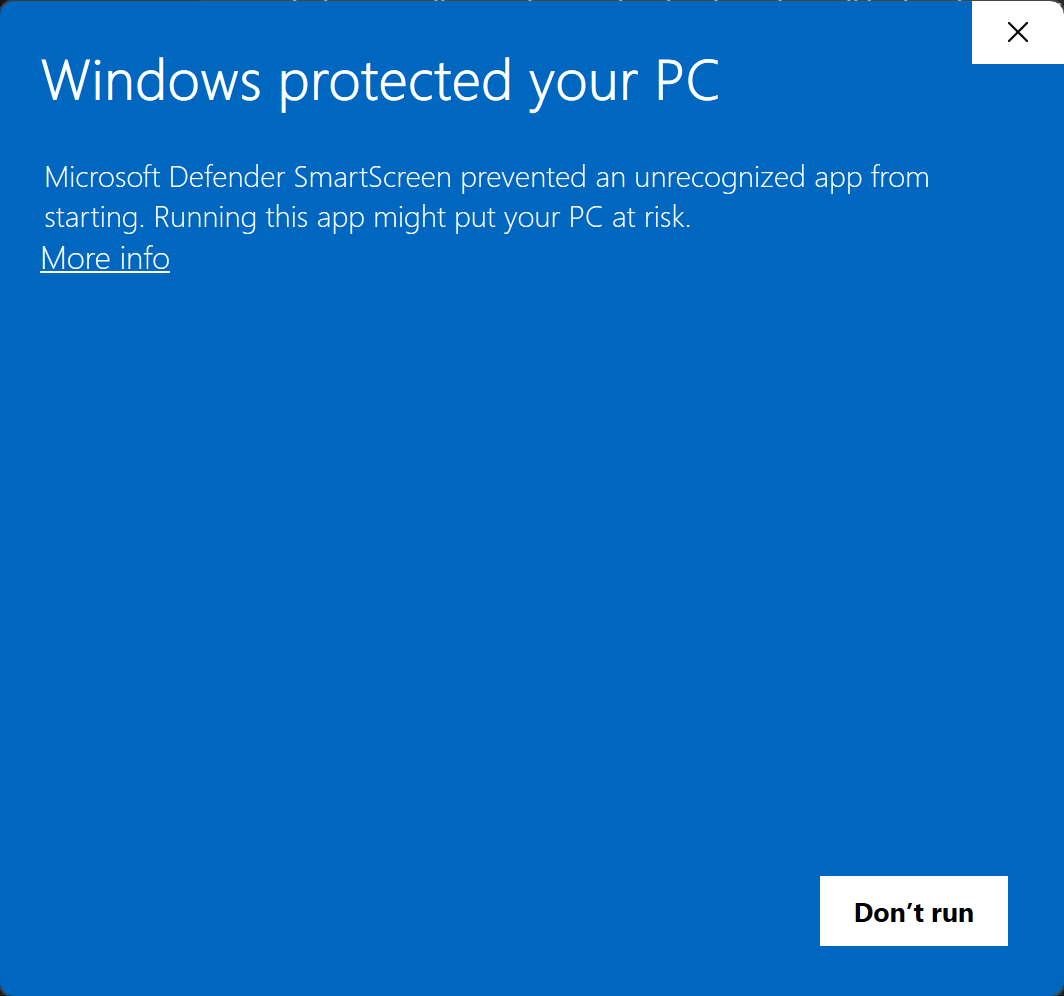
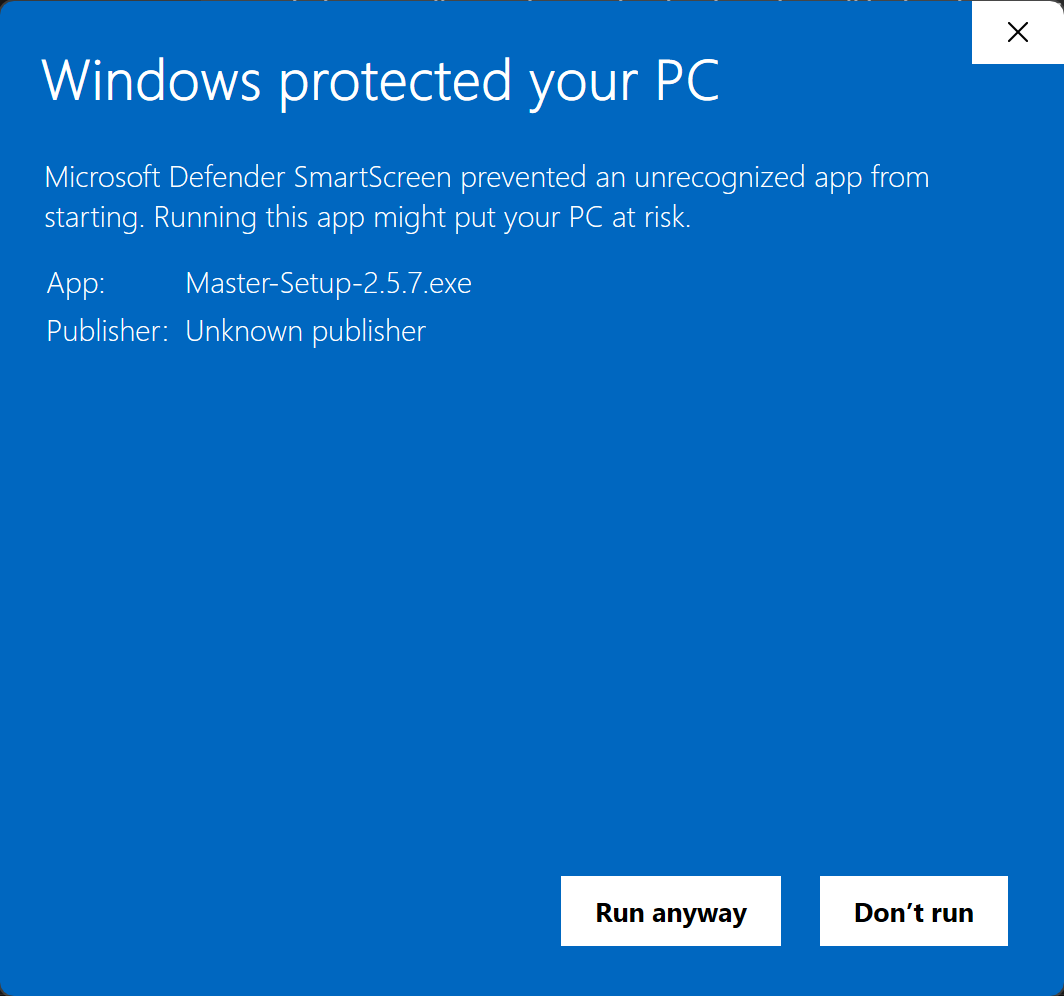
Only do this for the file from this page. If your browser warns too (Edge: “isn’t commonly downloaded”), choose Keep from the … menu of the download.
Where Master lives
While Master runs, its M icon sits in the tray by the clock. Windows may hide new icons behind the ^ arrow: drag it onto the taskbar to keep it visible. Closing the window keeps Master running in the tray, so your browser button and rooms keep working. Right-click the icon for Open, Status or Quit.
Updates
Master checks for a new version by itself (30 seconds after it starts, then every 6 hours) and asks before downloading. Updates take about half a minute.
Mac
Not yet. A Mac version is planned; it needs Apple’s signing and notarization before it can be offered safely.